Run and monitor a crawl
Classic or Cuik Spider engine, live progression, pause and resume.
start_crawlcrawl_jobTHE CUIK MCP CONNECTOR
Connect Claude, ChatGPT or Gemini to Cuik to run audits, analyse your data and create reports.
 Claude
 ChatGPT
 Gemini
ONE REQUEST, ALL COOK AT WORK
The MCP connector gives your assistant access to Cuik tools, your projects and your data sources. It reads your figures from Cuik and works in your workspace.
Ask Claude, ChatGPT or Gemini as you would a colleague: run an audit, investigate a traffic drop or prepare a monthly report.
Crawl, Search Console, Analytics, cross-analysis: it chooses the useful tools and filters.
Crawls, reports, tasks and analyzes are saved in your project, before your eyes.
Everything remains editable in Cuik, then shared by link, slideshow or PDF.
CONNECTOR TOOLS
74 tools cover crawling, Search Console, Analytics, reports, tasks and exports. Here are a few examples, with their connector names:
Classic or Cuik Spider engine, live progression, pause and resume.
start_crawlcrawl_job
Queries, pages, periods compared, brand and non-brand, opportunities.
gsc_analysisgsc_compare_periods
Sessions, acquisition, landing pages and ownership conversions.
ga4_reportCrawl, Search Console, GA4 and your imports, combined in a single query.
cross_queryCatalogue pages, date range, filters and your custom theme, in the Cuik editor.
reportsreport_themesLink viewable without account, PDF export, visual inspection of pages before sending.
report_deliveryTasks, projects and client questions, linked to the report and project.
report_tasksproject_manageClusters of pages and keywords, attributes reused in analyses.
project_clusterspage_attributes
Positioned keywords, backlinks, Haloscan data, and export to Google Sheets.
get_ranked_keywordsenrich_startexport_to_sheetSITUATIONS
Four everyday SEO requests and what they produce in Cuik. Actual interface screenshots from the cuik.io project.
SCENARIO 01 · CLIENT REPORT
You, in Claude“Prepare my client’s August SEO report, in our colors. »
Your assistant selects pages from the catalogue, sets the period and applies your theme. Pages appear one by one in the editor. Review them, add comments, then present or publish.
reportsSummary, traffic evolution, clusters, brandreport_themesLogo, colors and typography of your brandreport_deliveryShare link or PDF export cuik.io · Reports · August 2026: the SEO report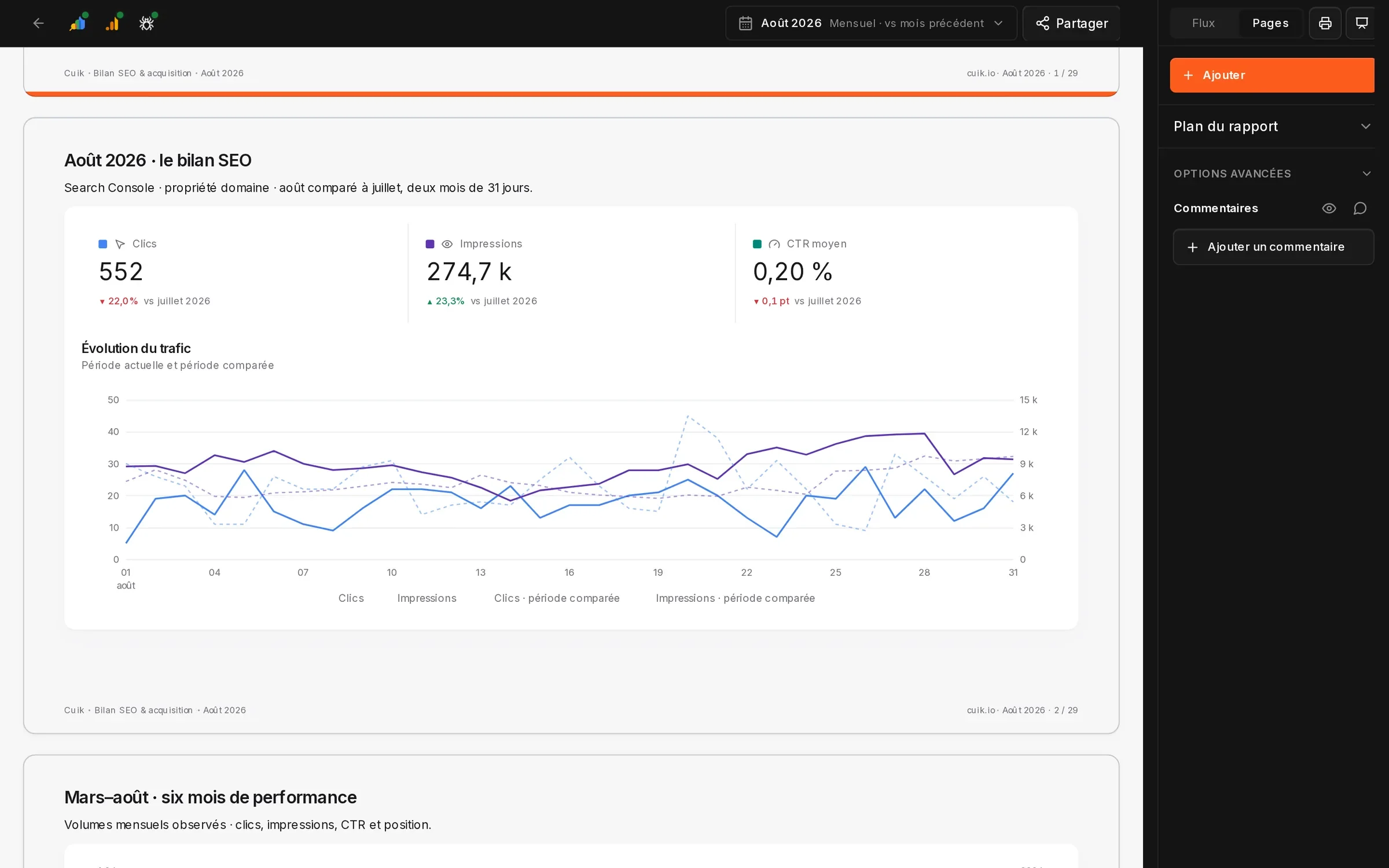
SITUATION 02 · TECHNICAL AUDIT
You, in ChatGPT“Crawle cuik.io and list the errors to be corrected as a priority. »
The crawl runs in Cuik while your conversation continues. Your assistant reads the summary — Cuik Score, HTTP codes, tags and depth — and turns findings into tasks with due dates.
start_crawlCrawl of cuik.io, followed until the endquery_crawlError pages, duplicate tagsreport_tasksTasks created and linked to the projectcuik.io · Crawl · Synthesis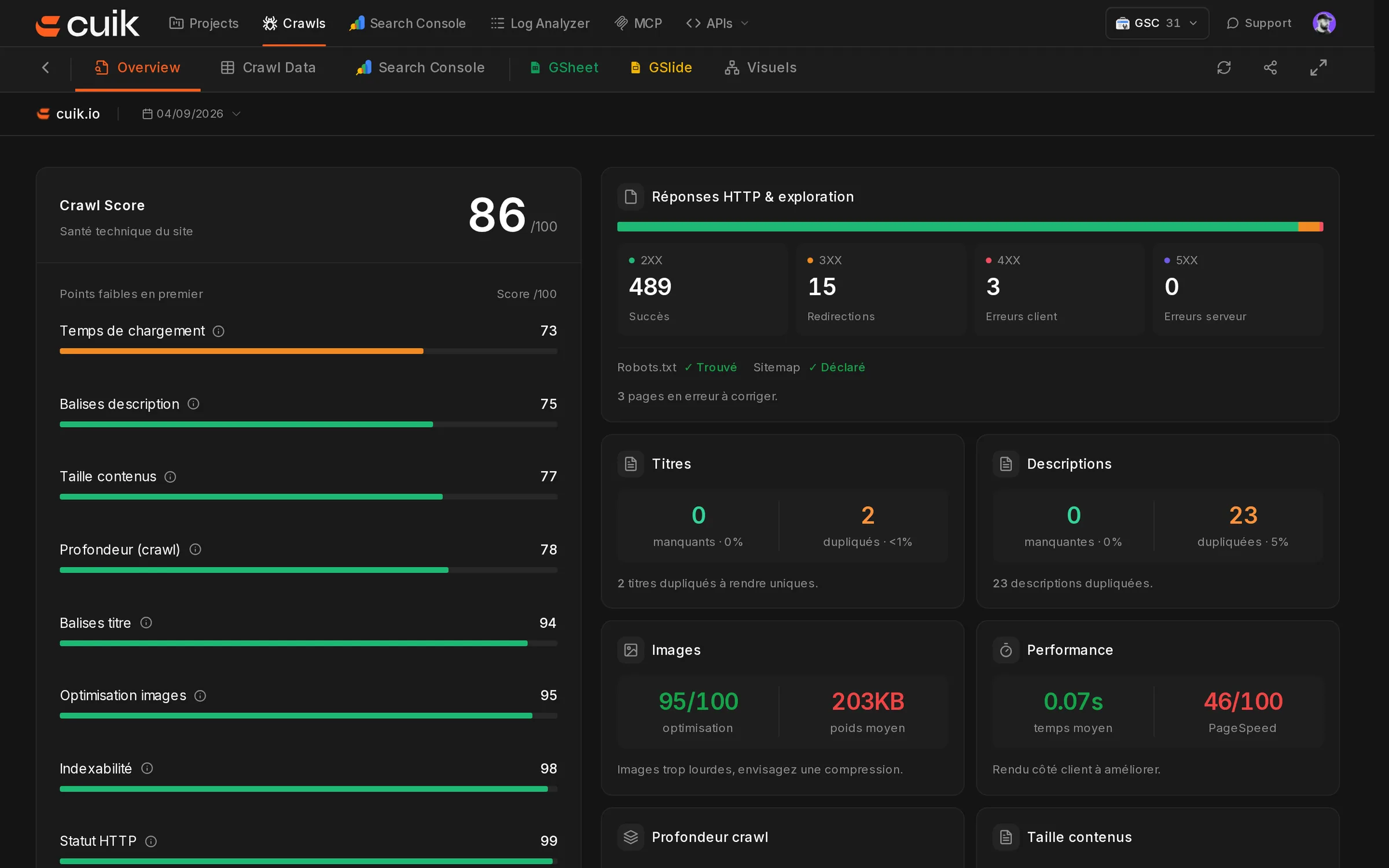
SITUATION 03 · DECLINE IN TRAFFIC
You, in Gemini“Why have my tools pages been losing clicks since July? »
Compare periods, gaining and declining queries, and clusters, then check each URL’s technical status. The answer cites its sources and suggests which pages to work on first.
gsc_compare_periodsWinners and losers between two periodsproject_clustersReading by keyword clustercross_queryCrawl × Search Console × GA4cuik.io · Search Console · Clusters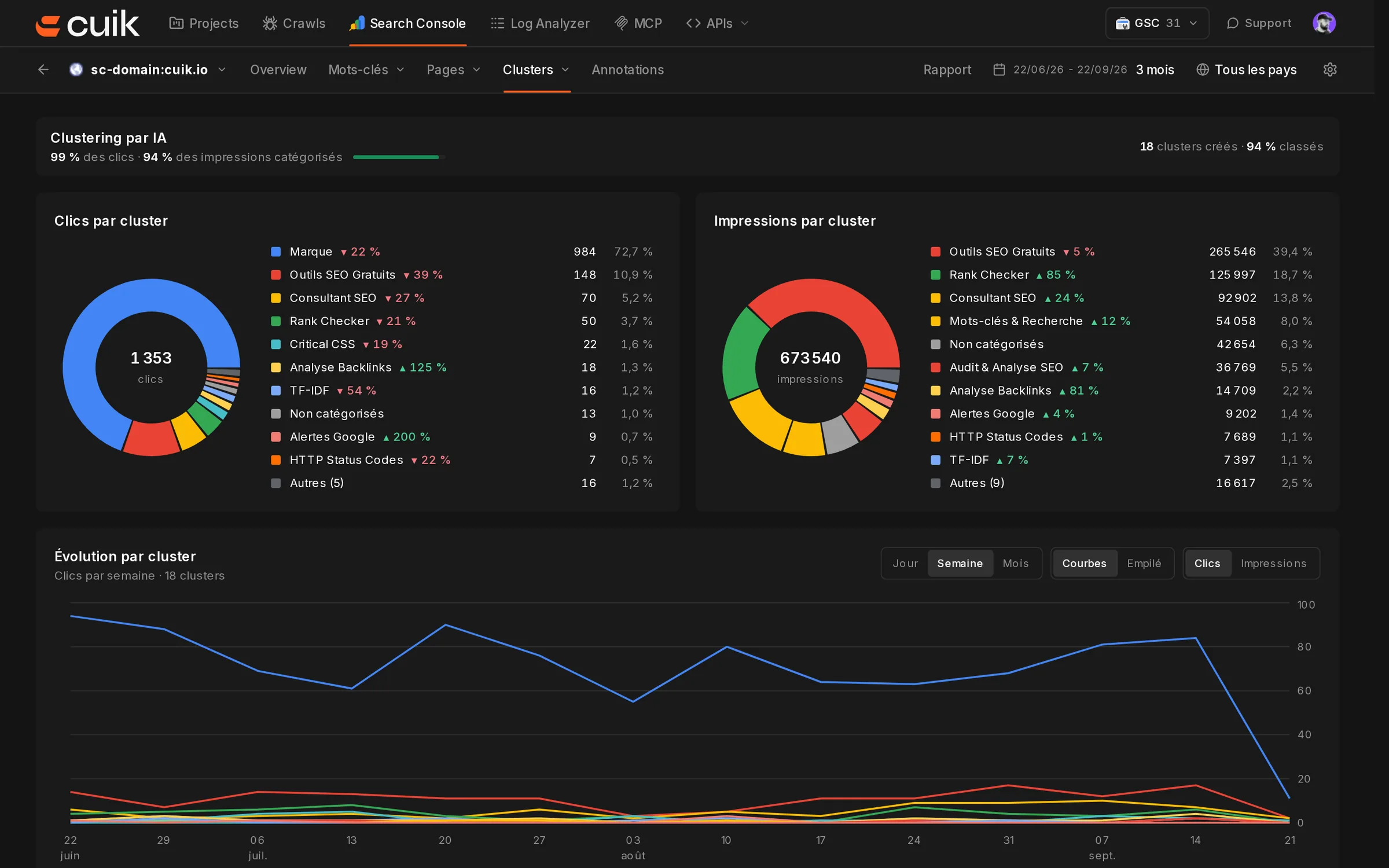
SITUATION 04 · CUSTOMER FOLLOW-UP
You, in Claude“Creates the action plan tasks and asks the client to validate the new meta descriptions. »
Tasks appear on the project’s Kanban board with priorities and due dates. Approval requests go to the client area, where clients can respond without accessing the rest of the project.
report_tasksAction plan linked to the reportproject_manageProjects, questions and client sharingcuik.io · Tasks · example cards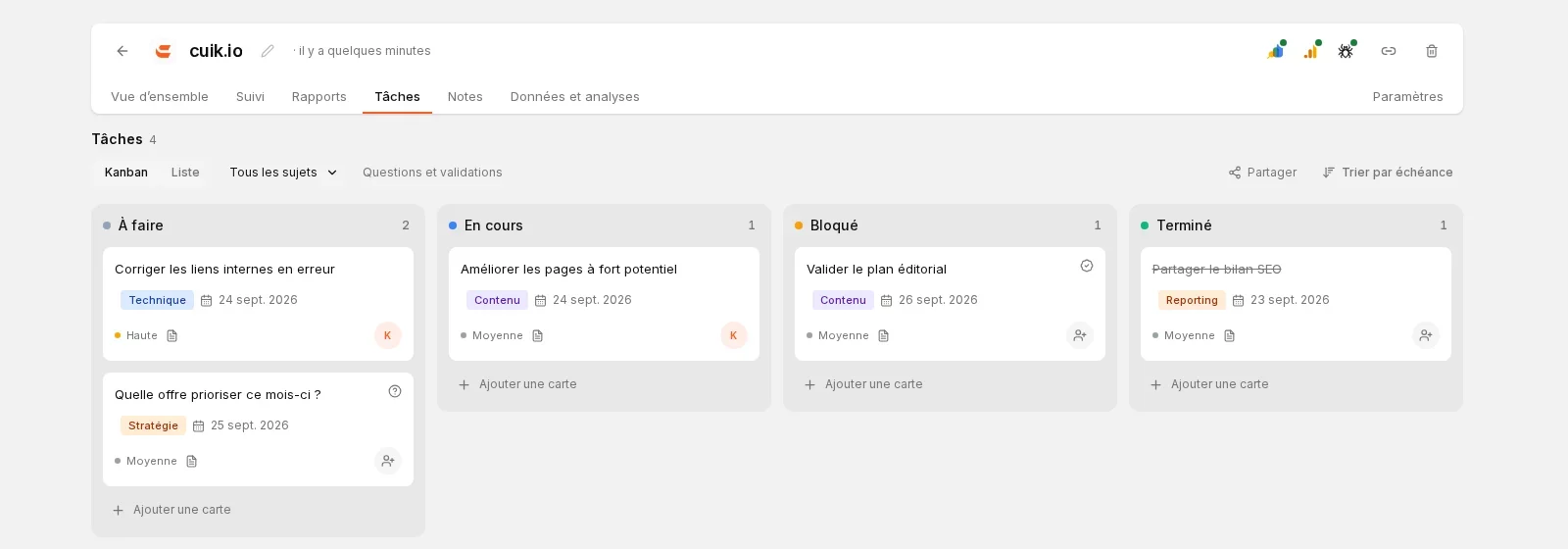
YOU KEEP YOUR HAND
Connect with your Cuik account using OAuth. Your assistant can access your projects and data sources. Disconnect it whenever you want.
Publication, sharing, paid operations and deletions require your explicit consent.
The answers are based on your data, with the period, source and filters used.
Reports, tasks and analyzes are saved in Cuik and edited like those you create.
IN TWO MINUTES
One server for all your assistants. Connect using OAuth and your Cuik API key. Enter the key on the Cuik page, never in the conversation.
https://mcp.cuik.io/mcp/server ClaudeChatGPTAdd the remote server to your client, then initiate authentication:
claude mcp add --transport http cuik \
https://mcp.cuik.io/mcp/serverTo check: “With Cuik, list my projects without modifying anything. »
FREQUENTLY ASKED QUESTIONS
Step-by-step guides are available for Claude on the web, Claude Desktop, Claude Code and ChatGPT. Codex, Gemini CLI and other MCP clients use the same server address.
No. The server is hosted at https://mcp.cuik.io/mcp/server and connects through OAuth with your Cuik account. A local option is also available if you prefer it.
Your assistant can act in your Cuik workspace: run a crawl, create a report or add a task. Publishing, sharing and deleting require your explicit approval.
Paid services — SERP data, keywords and backlinks from DataForSEO or Haloscan, page extraction, screenshots and PageSpeed — use Cuik credits through the app, API or MCP. One request may call several services. Your AI assistant’s subscription is separate.
Connect your assistant in two minutes and put it to work on your next audit.